
🎯 How to share with a recipient (and get notified)
👉 Doc tracking is a super helpful way to trigger great and timely followup.
What's recipient sharing and doc tracking?
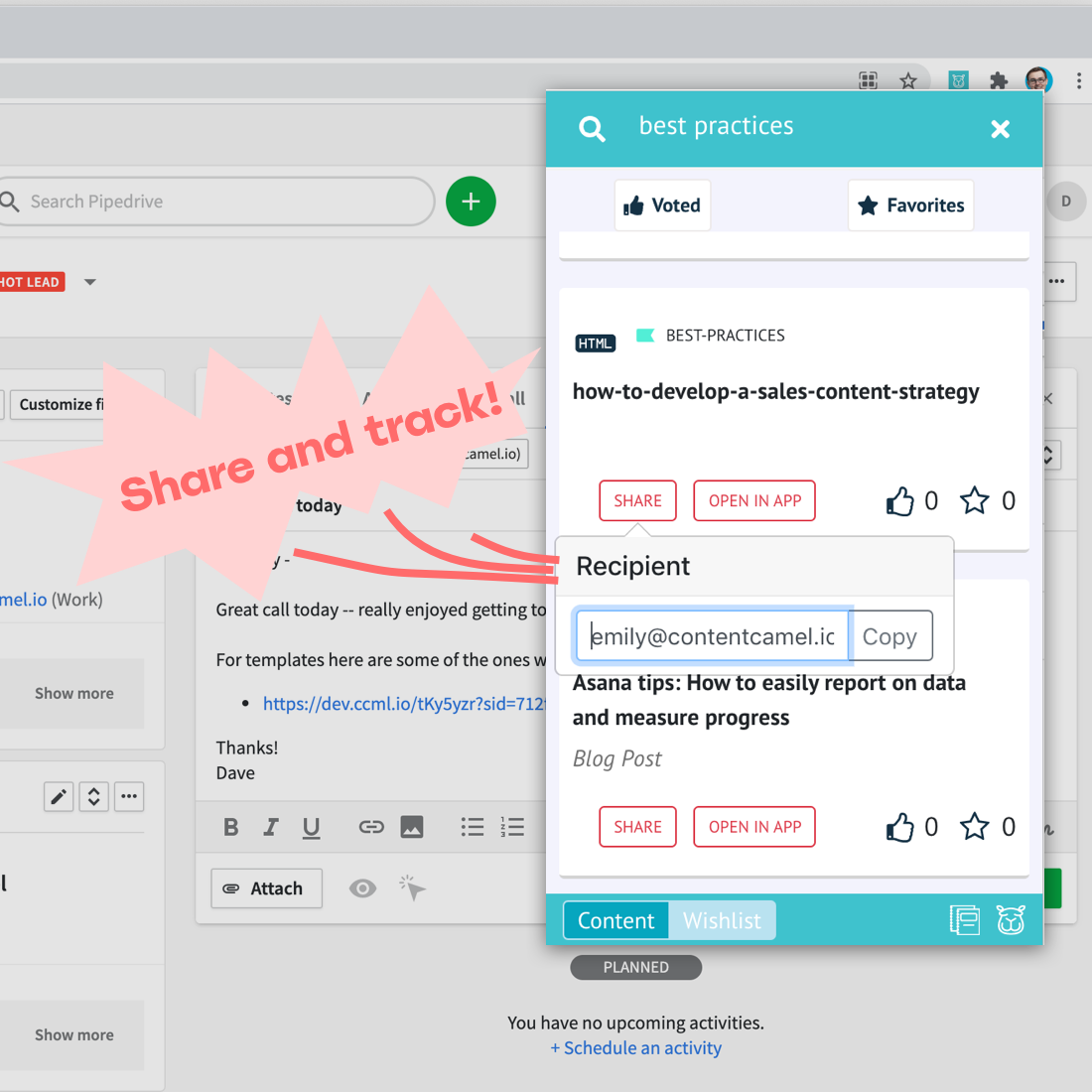
When you share content (a doc, ebook, whitepaper, datasheet, link, youtube, whatever), you probably want to answer a couple of questions -- "did the person view the content?" and "when is a good time to follow up?".
Content Camel let's you share quickly from our browser extensions and the web app, so it's a piece of cake to get notified and follow up at just the right time when sharing assets.
From the extension and web app, you'll be able to:
Share with a recipient, getting a unique share link copied to your clipboard
Get notified over email and browser notification when your recipient views content
Share with someone
From the extension or app:
Find the content you want to share.
Shareand tag with an email, name, or other identifier.We'll copy the unique link to your clipboard -- you're ready to share!
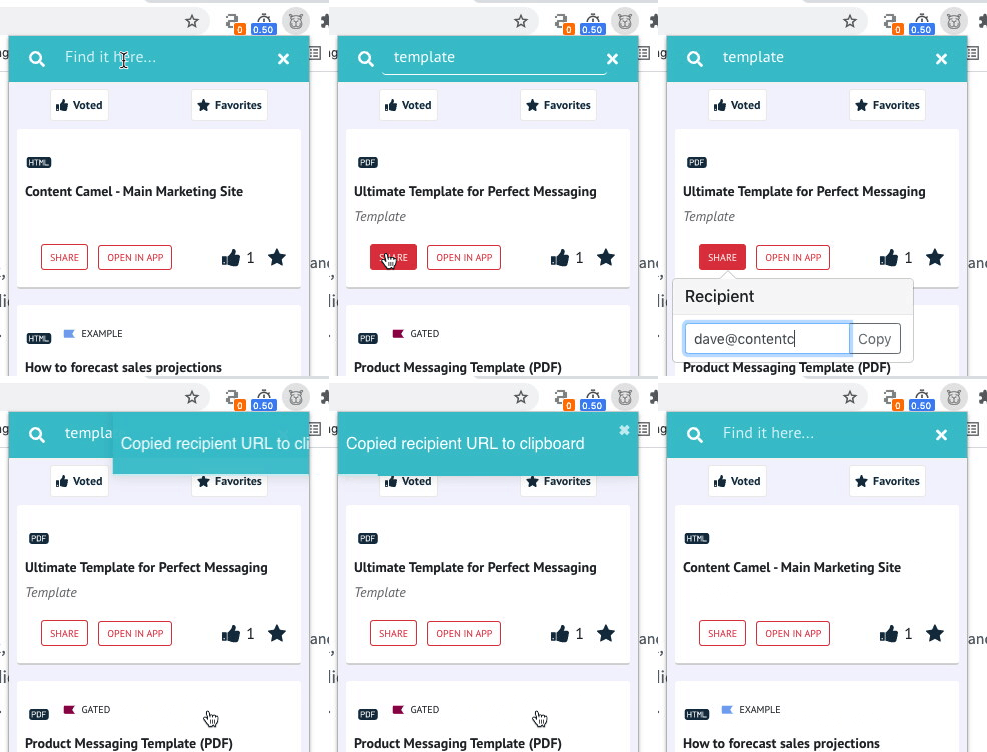
Links look like:
https://ccml.io/demo-messaging-template?sid=8504c
and will use your branded domain if you have that set up!
Getting notified
Once shared, our systems starts tracking views on your content links. When a recipient views the content at the link, then you'll get a view notification sent to your email:
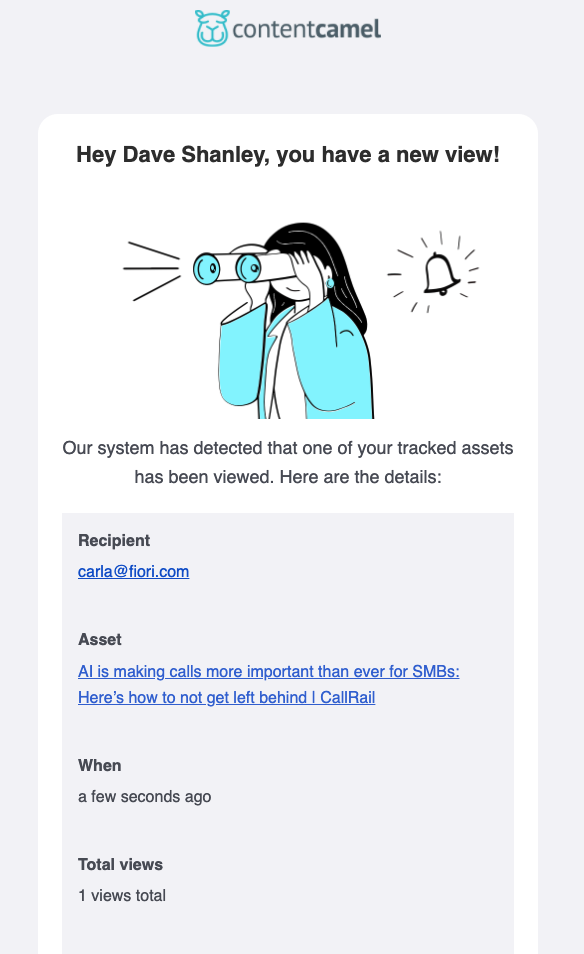
and we can also deliver notifications to your browser via our extension and web app 🙌. Content Camel has the ability of sending these notifications back to your CRM as well!
Have questions?
If you have any questions, email our team. We're here to help you out.