
🔍 How to search and filter content
You're on a call, your prospect asks a question, and you know you have the perfect asset somewhere—but where? Digging through folders or guessing filenames kills momentum. Content Camel's AI-enabled search finds what you need in seconds by searching titles, descriptions, tags, and even PDF contents. Combined with advanced filters for funnel stage, content type, and more, you'll always have the right content ready when your prospect needs it.
Basic search
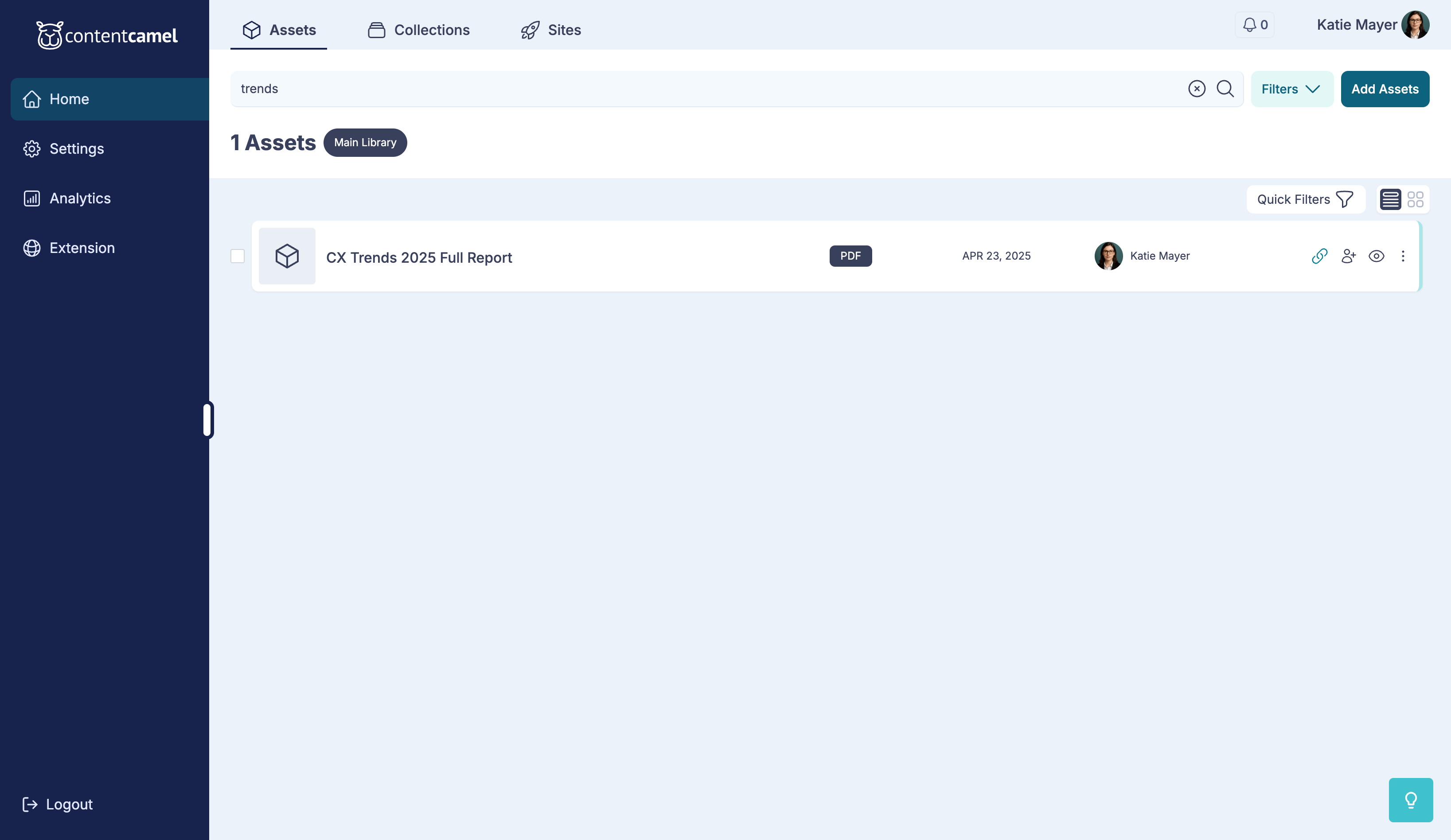
In the app, you can simply search in the search bar at the top of any tab, and you'll intelligently filter the results. We use AI-enabled search that uses smart filtering to get you the best results.
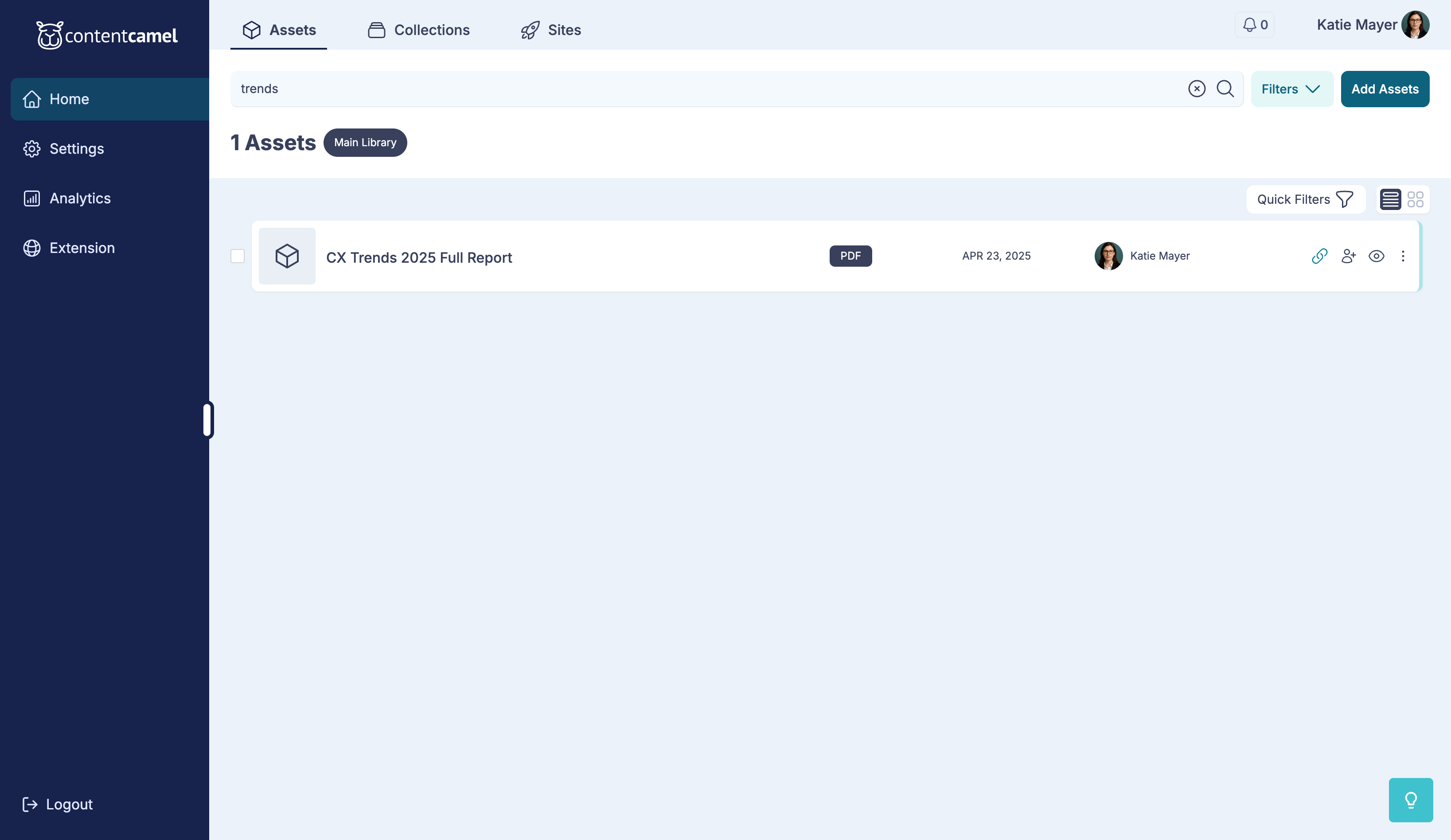
We'll search across:
The title
The description
The internal positioning description
The meta fields (description, title) if it's a web page
The file name, if it's an upload
Any tags
Content types (e.g., "eBook")
Funnel stages (e.g., "Awareness")
Products, Regions, and Industries (if enabled)
It's pretty simple and lightning fast. Because it's intelligent search, it will correct commonly misspelled words and will look for common synonyms.
👉 TIP: If you surround a search term with quotes (like "playbook"), then you'll get an exact match.
Filtered search
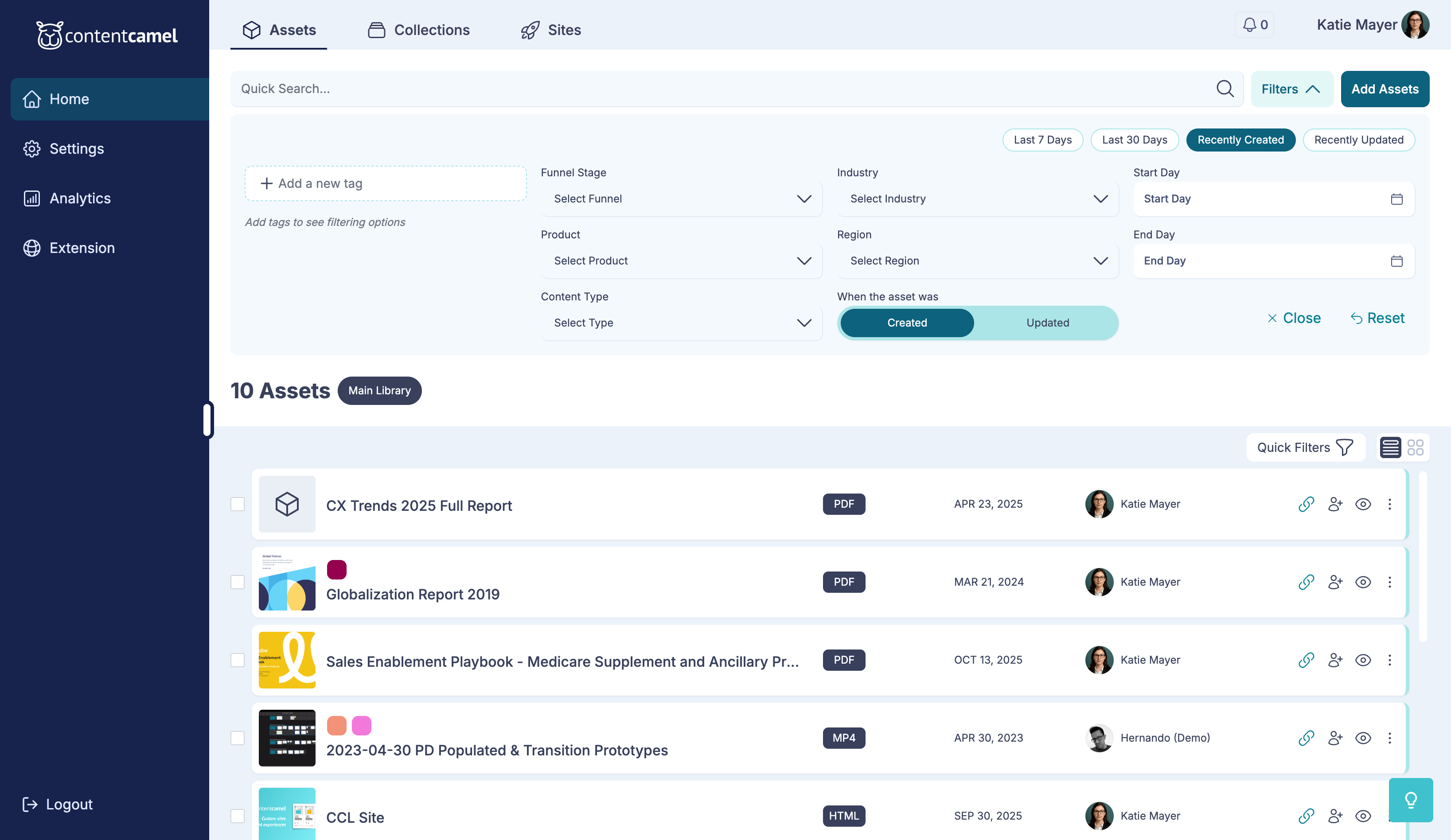
Going beyond basic search where you've just included a term, terms, or a phrase to search for, our advanced filtered search lets you drill down by any of the active fields you're using to categorize your content.
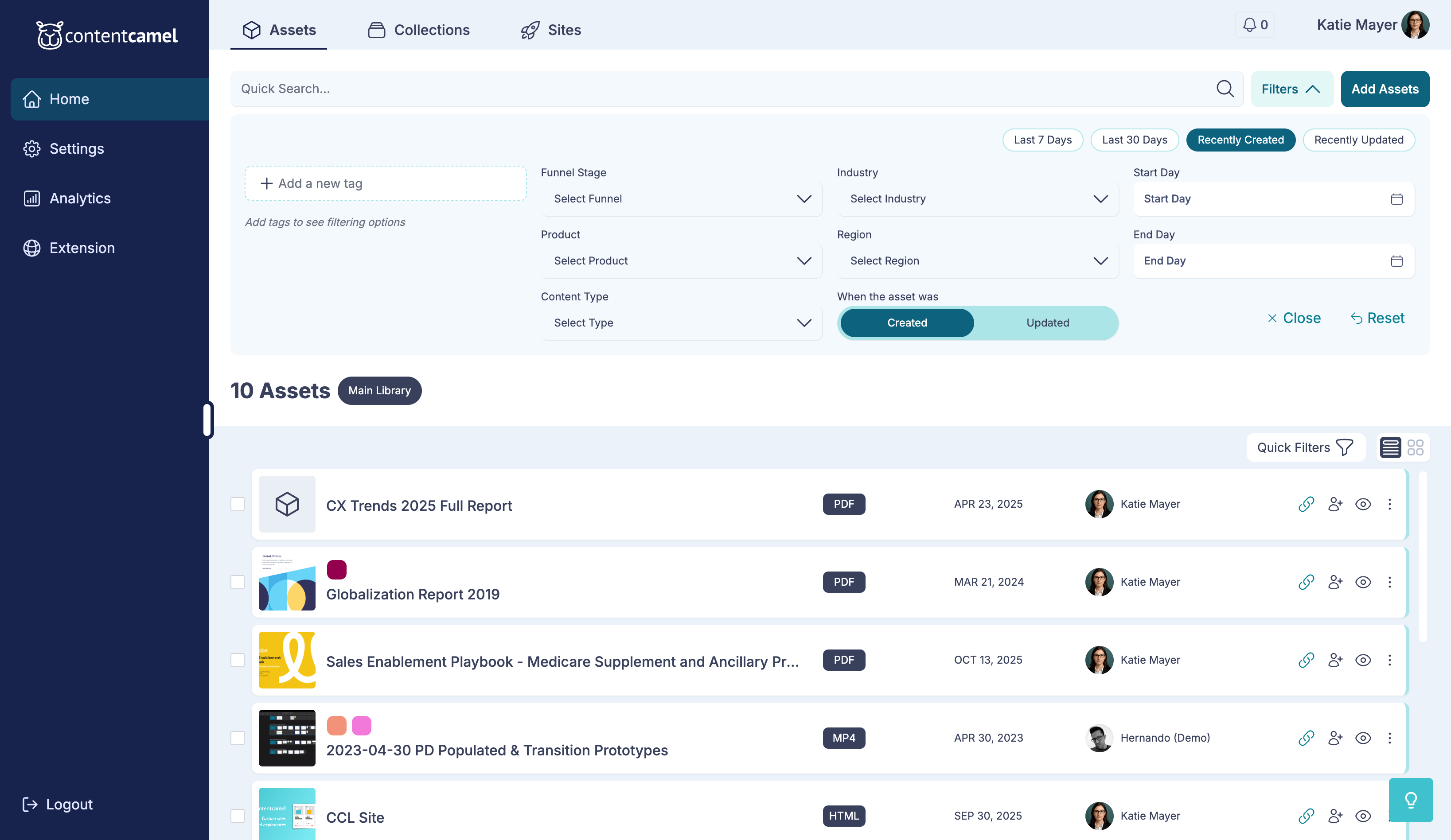
Beyond helping you get more specific with your search, it's a great way for new team members to drill down on existing content.
Want to find top-of-funnel content? Just add the funnel stage filter Awareness and browse from there.
Want to see all of the ebooks? Just drop in ebook as a content type.
You get the idea. Super easy for everyone to deliver the right assets, because they can actually find it in the first place.
How multiple filters work
With multiple search filters applied to your content, our search will work like this:
Filters set in the same field work like an OR
Then, all lists are AND together
So, if you select funnel stage Awareness OR funnel stage Consideration AND content type eBook, the search is:
"Find all the eBooks that are either in the Awareness or Consideration funnel stage."
And as you add search terms, they must be present in the search results along with the other criteria. That means it's search term AND other criteria.
Clearing filters
Need to start fresh? Just click Clear All to remove all active filters and start over.
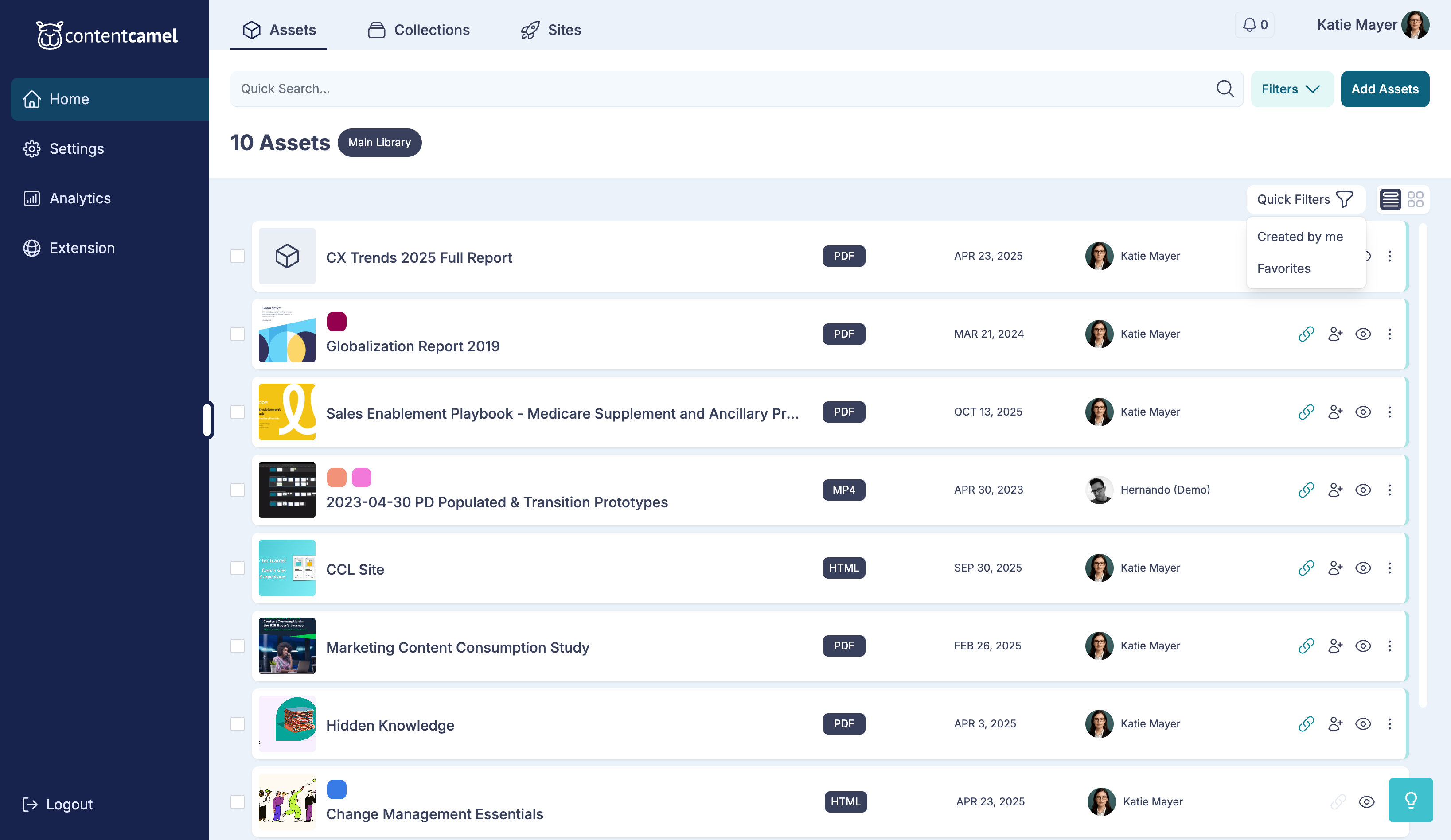
Quick filters
Use quick filter buttons above your content for instant access to common views:
Created by me - Show only your content
Favorites - Show favorited items
Shared with me - Show content others shared
Sorting results
Use the sort dropdown to change how results are ordered:
Most Recent - Newest first
Oldest First - Oldest first
A-Z - Alphabetical by title
Z-A - Reverse alphabetical
Most Viewed - Popular content first
Have questions?
If you have any questions, reach out to our support team. We're here to help you make the most of Content Camel's powerful search capabilities.