
🔗 How to create personalized share links
You send a prospect content, then wonder: did they actually look at it? Are they interested? When should you follow up? Personalized share links give you visibility into every prospect interaction. You'll know exactly who viewed your content, when they viewed it, and how long they engaged—so you can time your follow-ups perfectly and focus on prospects showing real interest.
Creating a personalized link
Step 1: Find the asset to share
Navigate to the Assets tab and find the content you want to share. You can use search or browse your library to locate it.
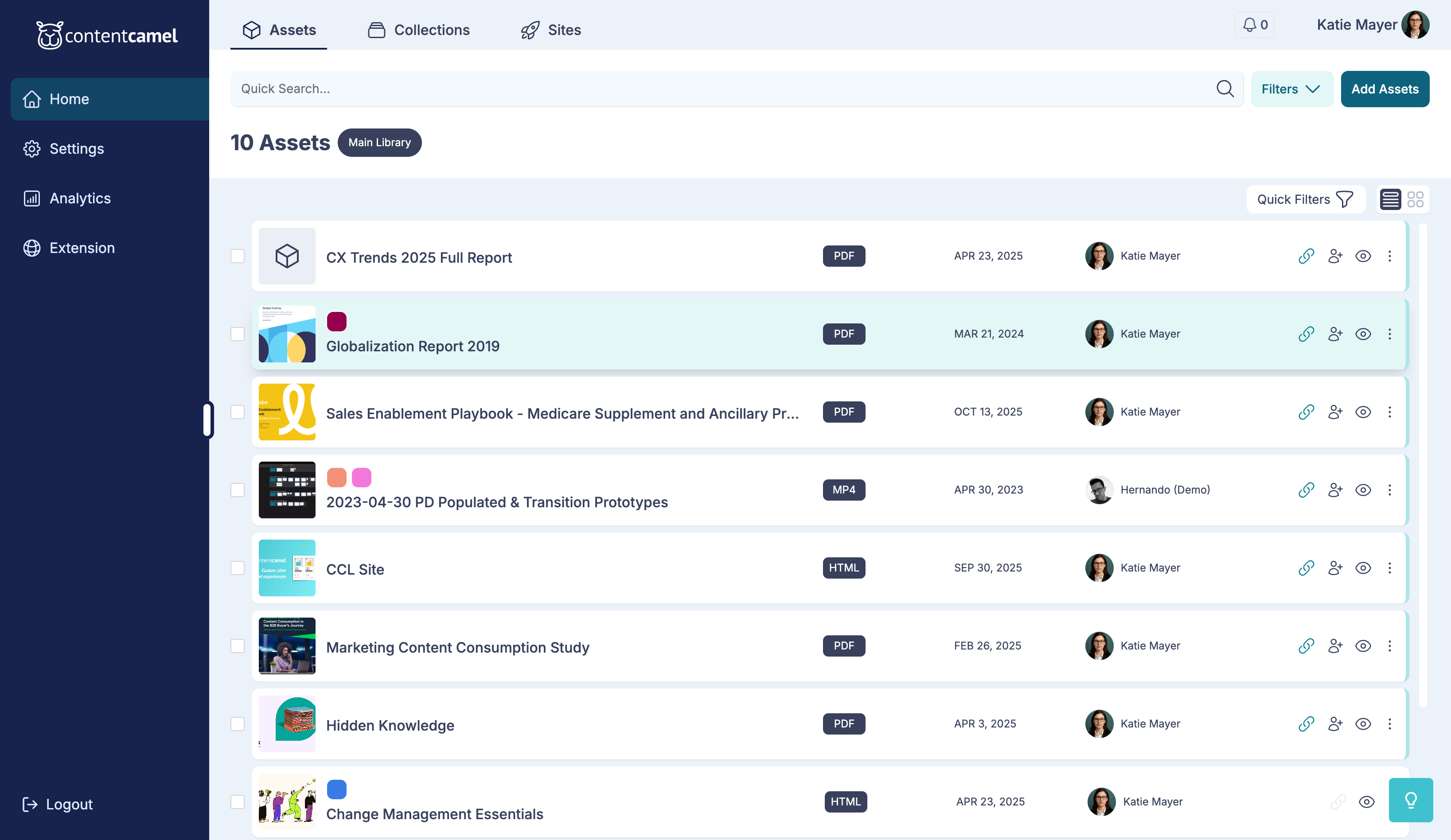
Click on the asset to open the detail view.
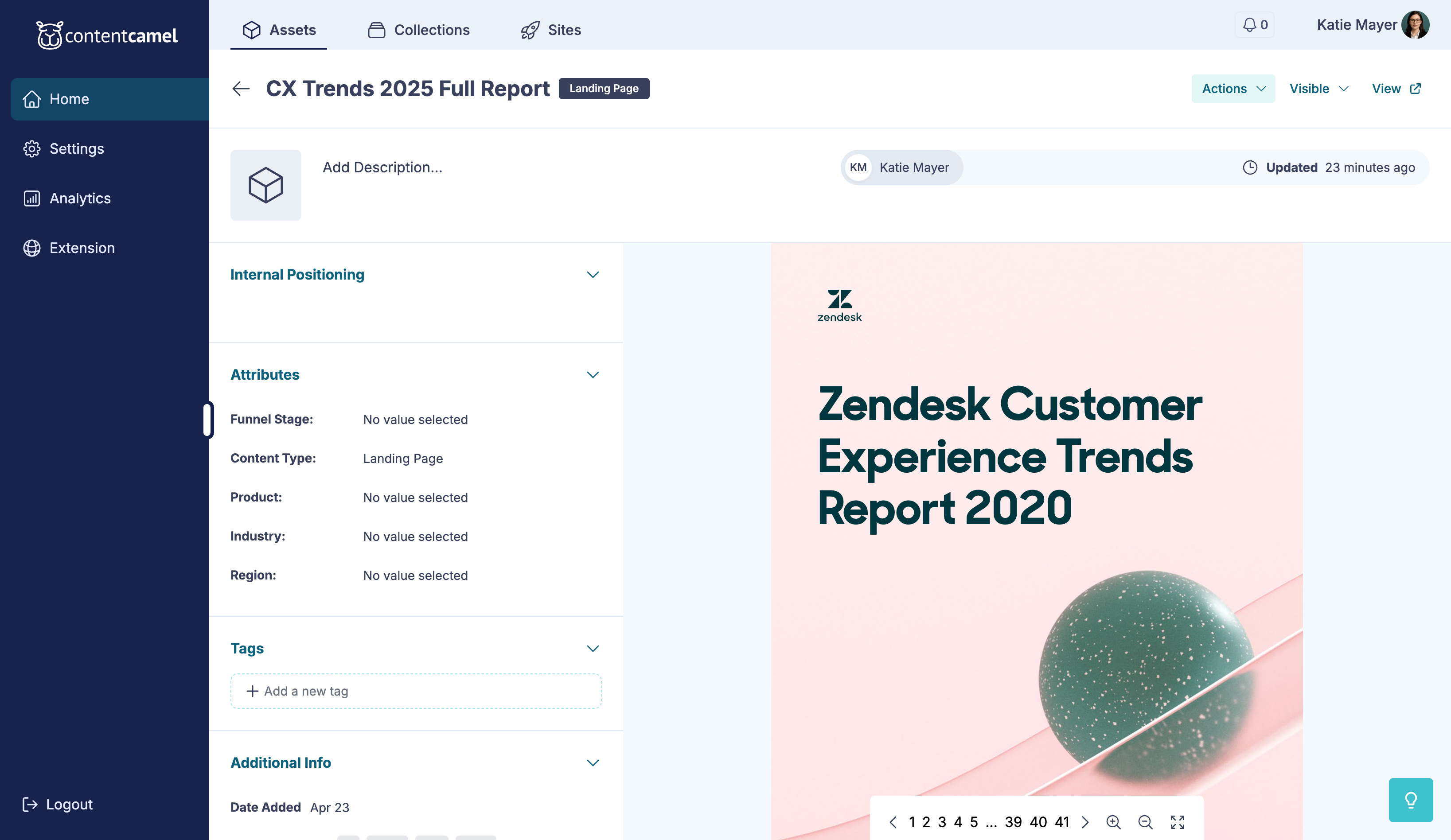
Step 2: Open the share dialog
Click the Share button in the asset detail view.
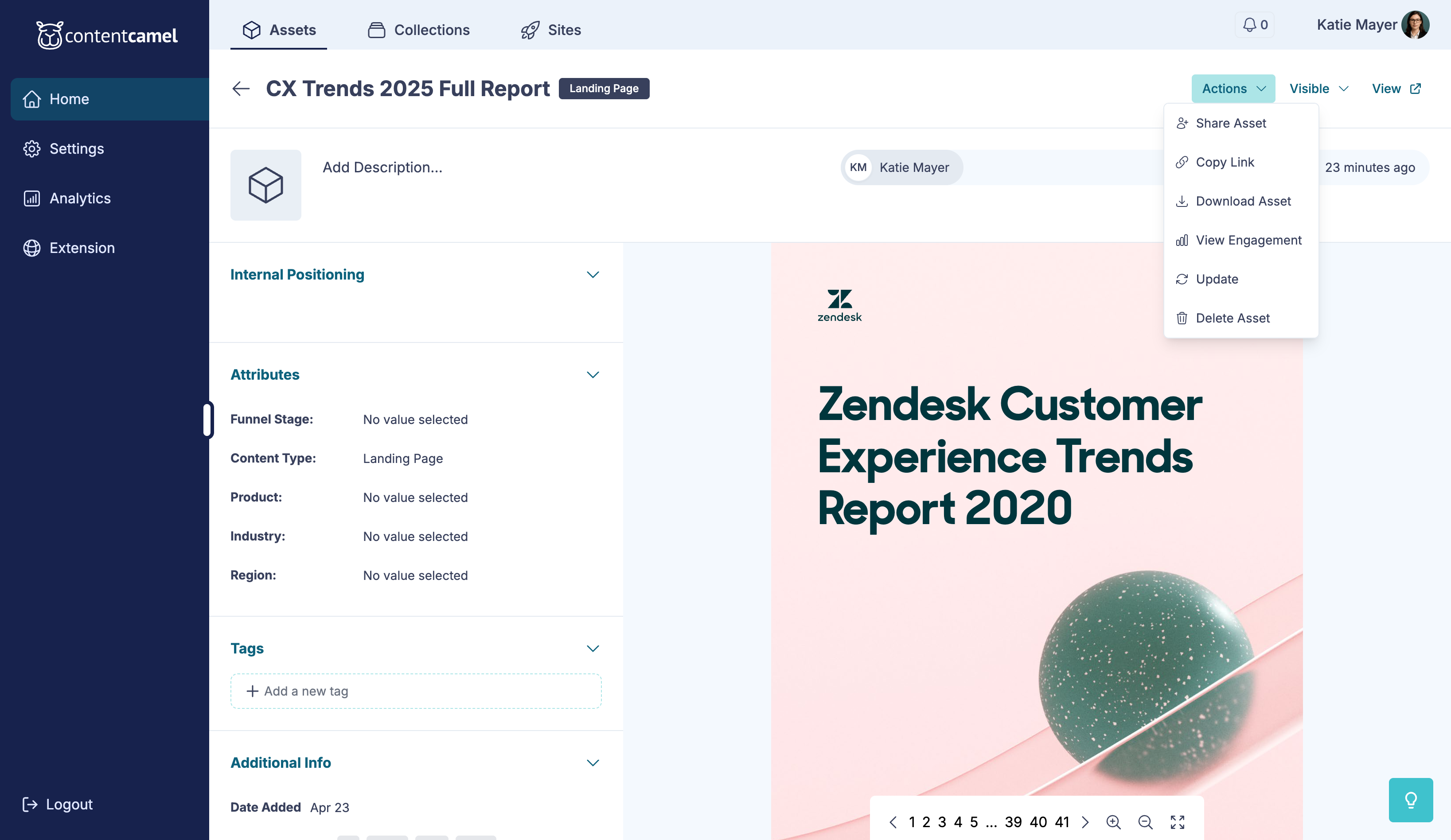
Then click Create Personalized Link.
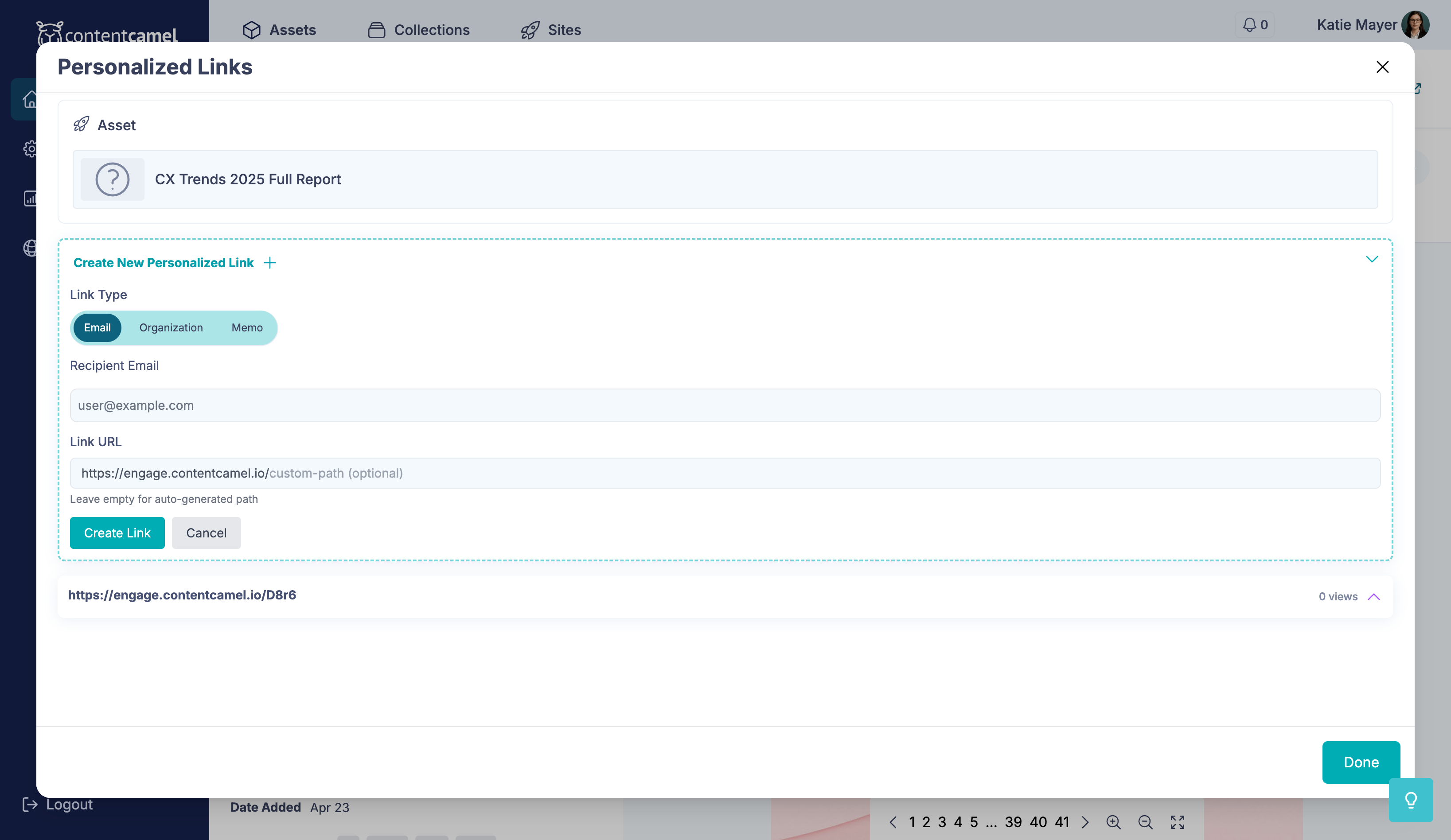
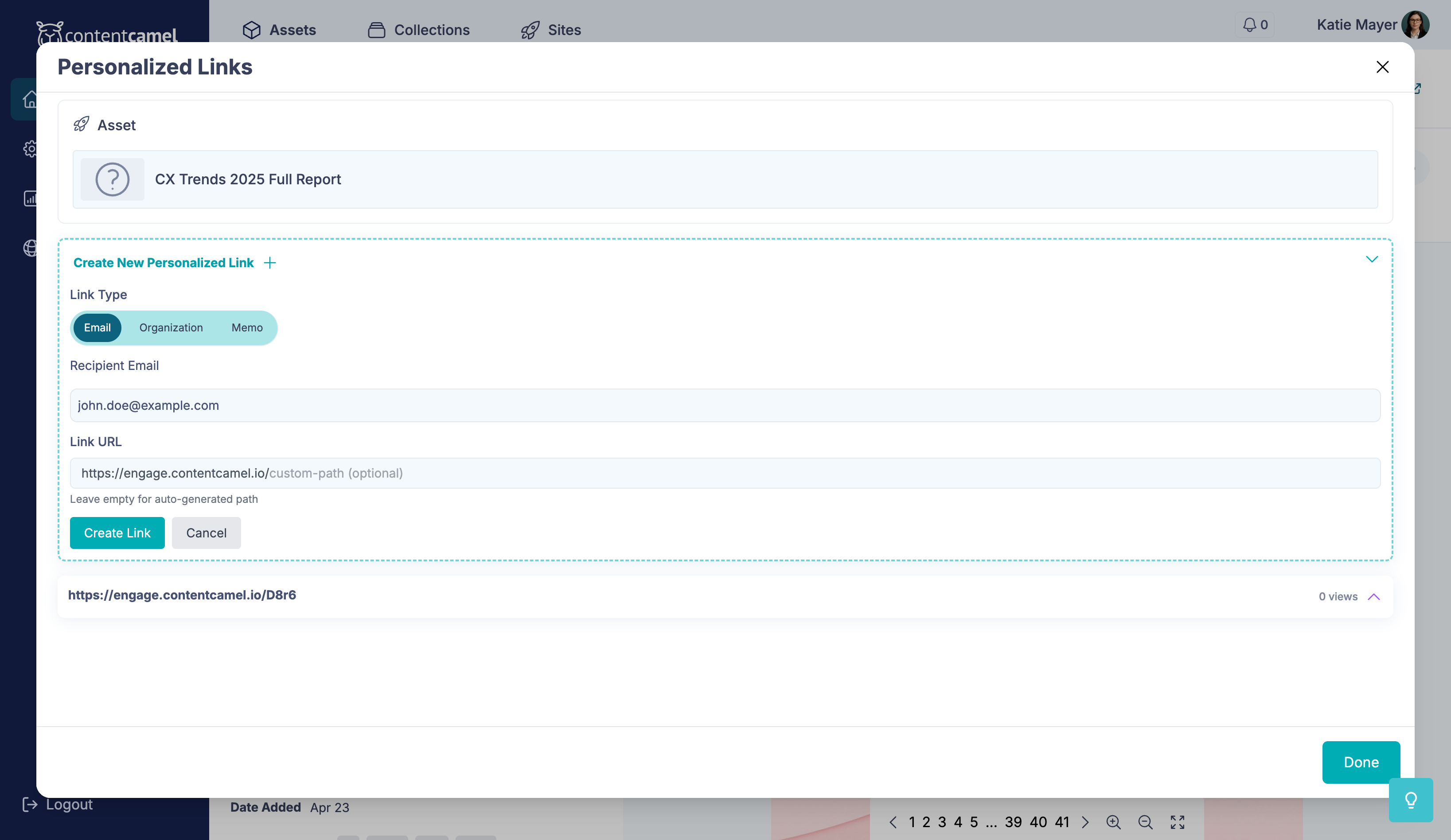
Step 3: Fill in recipient details
Enter the information for your recipient:
Recipient Name - Who you're sharing with
Recipient Email - Their email address
Custom Message - Add a personal note (optional)
Link Expiration - Set when the link expires (optional)
👉 TIP: Adding a custom message makes your outreach more personal and can improve engagement rates.
Step 4: Generate and share
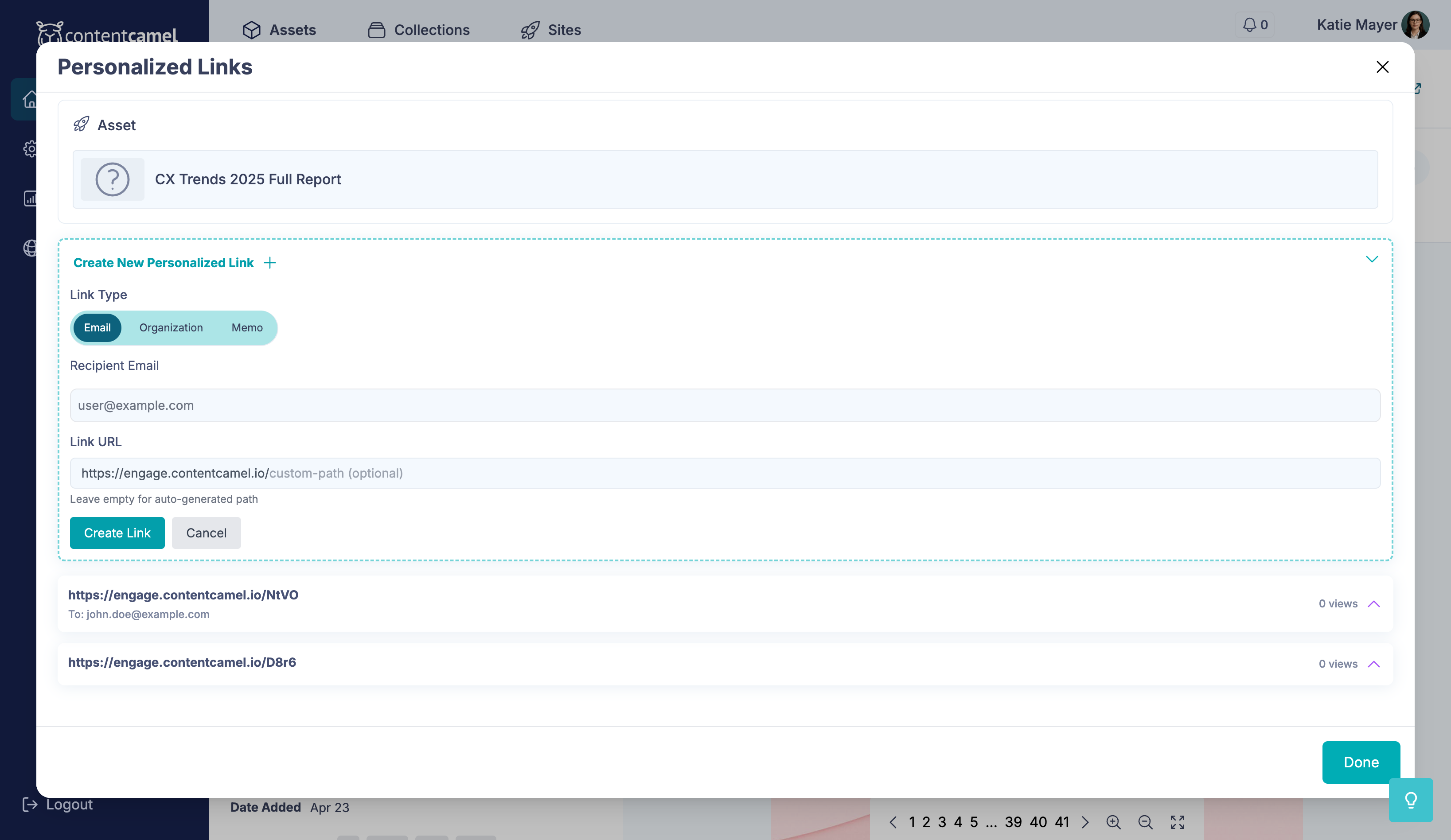
Click Create Link to generate your personalized URL.
Your personalized link is now ready! Copy it and share it with your recipient via email, messaging, or any communication channel.
Viewing engagement analytics
Once you've shared your link, you can track how recipients engage with your content.
Access engagement data
From the asset detail view, scroll to the Engagement section to see who viewed your content and when.
You'll see metrics including:
View counts per recipient
Time spent viewing
Pages viewed (for multi-page content)
When they last engaged
Using analytics for follow-up
This data is invaluable for your sales process. You can:
Prioritize hot leads - Focus on recipients who viewed multiple times or spent significant time with your content
Time your follow-up - Reach out shortly after someone views your content
Tailor your conversation - Reference specific sections they viewed or time spent
Recipients who view your content recently, multiple times, or for extended periods are showing strong interest and are ideal candidates for immediate follow-up.
Best practices
Be specific with recipient names - This helps you organize and track your outreach efforts
Set expiration dates for time-sensitive content - Keeps your shared content current and relevant
Add custom messages - Personal touches improve engagement and response rates
Check analytics regularly - Stay on top of engagement to optimize your follow-up timing
Have questions?
If you have any questions about creating personalized share links or tracking engagement, reach out to our support team. We're here to help you close more deals with better content insights.