
How to update a master deck and review what changed
You update the pricing slide. Somewhere out there, eleven reps have composed decks that include the old one, and four of those decks are sitting behind share links a prospect might open this afternoon. Chasing them down by hand isn't a real option.
Updating the master file handles it. Content Camel re-reads the deck, matches the new slides against the old ones, pushes the current content out to every composed deck that uses them, and republishes the ones that were already live.
Updating the file
Open the deck's asset page
Under Quick actions, click Update
Pick the new file
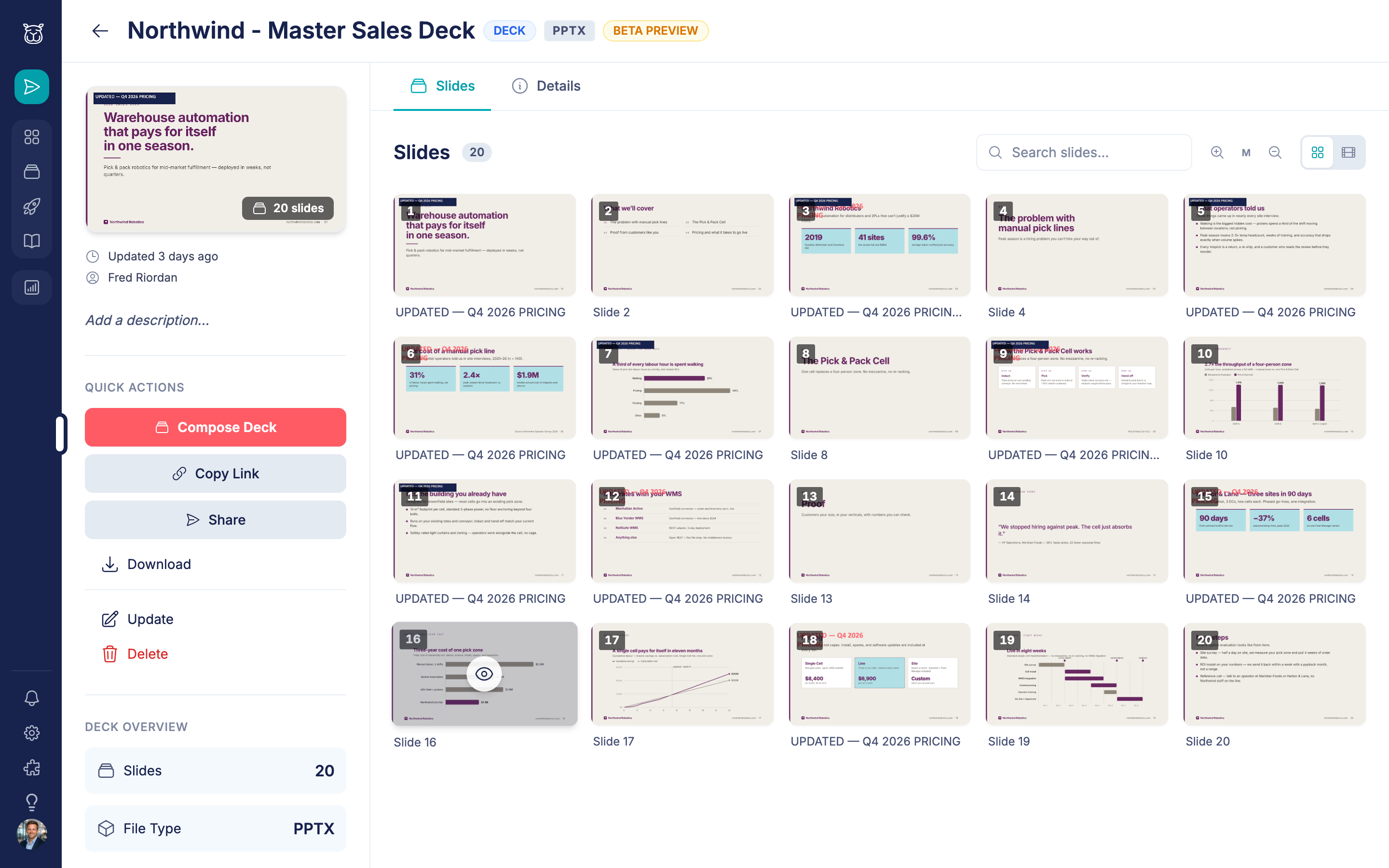
The deck re-processes in the background, with a progress indicator on the page. It refreshes itself when the new slides land, so you don't have to reload.
The deck keeps its identity through all of this: same asset, same share link, same analytics history, same slide references from every composed deck. Only the content moves.
What happens to composed decks
Every composed deck built from this master gets the new content automatically. Reps don't re-pick their slides and don't get an inbox full of alerts.
If a composed deck had already been published, it republishes itself in the same formats it was published in before, so the link a prospect opens serves the current version. That happens quietly in the background. A composed deck that was only ever saved and never published is left alone — nothing is live, so there's nothing to protect.
The review: what a rep sees
Composed decks whose slides moved get a banner on their deck page:
> 3 slides updated in the source deck — Review changes
Only the composed deck's owner (and admins) see it. Clicking through opens a review with two kinds of row.
Changed slides — informational
Side-by-side Before and After thumbnails, and a Dismiss button.
There's no "revert to the old one" here, and that's deliberate. The master is authoritative: if marketing changed the pricing slide, the old pricing slide is not an option a rep should keep serving. The row exists so the rep knows what moved under them before their next call, not so they can opt out of it.
Removed slides — Keep or Drop
A slide that no longer exists in the master gets one thumbnail and two choices:
Keep slide — pins the old copy into this composed deck, so it keeps publishing
Drop from composite — removes it from the deck entirely
This decision is real, not cosmetic. A composed deck pointing at a slide that no longer exists can't publish, so the rep has to choose one or the other before their next publish will work.
When every row is resolved the review clears itself.
The "N new slides" badge
Reps see a badge in the composer's source rail when a deck they can pull from has picked up new slides recently. It's a recency signal — "this deck has fresh material" — rather than a to-do. Useful the week after you refresh the corporate deck and want reps pulling the new slides rather than the ones they used last quarter.
What counts as a "changed" slide
A slide's identity comes from its content, not its position in the file or its internal ID. Two consequences worth knowing:
Round-trips don't create noise. Opening the deck in PowerPoint or Keynote and saving it again rewrites a lot of internal structure. Slides whose content didn't change aren't flagged as changed
Reordering doesn't shuffle anyone's deck. Slides are matched in the order they actually render, including hidden ones, so moving slide 12 to the front doesn't silently repoint someone's composed deck at the wrong content
You'll still see the occasional false positive on a slide where nothing meaningful changed — image re-encoding can shift the content enough to register. That's part of why changed rows are informational: adjudicating each one was the wrong ask.
Practical notes for admins
Update, don't re-upload. Uploading a new file as a new asset breaks every composed-deck reference and every share link pointing at the old one. Update is the path that keeps them
Batch your edits. Each update triggers a review for every affected composed deck. Three updates in a morning means three rounds of banners for the same reps
Removing slides has a cost. Every composed deck using that slide now needs a Keep-or-Drop decision from its owner before it can publish again. Changing a slide is free; deleting one isn't
Check the deck page after a big change. Re-processing runs in the background, and a failure is reported on the asset page rather than silently leaving the old slides in place
Have questions?
If you have any questions about master-deck updates, reach out to our support team. We're here to help you keep one source of truth without breaking anyone's deck.